Your AI Coding Assistant Lives in VS Code Now.
Ask, Plan, and Agent modes directly in VS Code. Query your codebase, plan features with AI approval, and spawn autonomous sub-agents — without leaving your IDE.
Trusted by developers who stay in flow
Lost to every context switch out of your IDE — eliminated completely
Ask, Plan, and Agent — covering every developer interaction from query to autonomous execution
Browser tabs needed to query requirements, gap analysis, or test data
The best AI coding assistant is the one you never have to leave your editor to use
Research from UC Irvine found it takes an average of 23 minutes to fully regain focus after an interruption. For developers, every switch to a browser tab — whether to check Jira, query an AI chat tool, or look up a test case — is a 23-minute tax on deep work. WalnutAI's VS Code extension eliminates the switch entirely. Everything you need is where you already are.
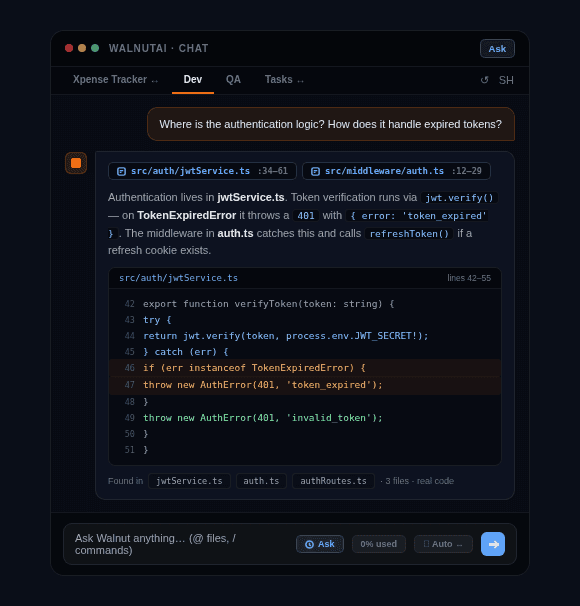
Ask anything about your codebase and get grounded answers
Ask Mode searches your actual repository to answer questions — “Where is the authentication logic?”, “How are payments processed?”, “What does this module depend on?” — with answers grounded in real code, not general AI training data.
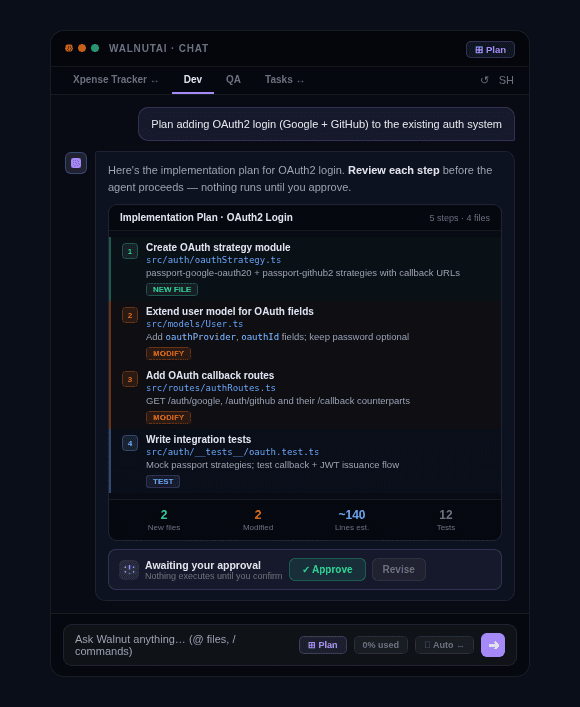
Plan complex features before any code is touched
Plan Mode generates a step-by-step technical implementation plan identifying exactly which files, modules, and changes are needed. The plan is shown for human review and approval before any agent executes it — so nothing moves until you’re confident in the approach.
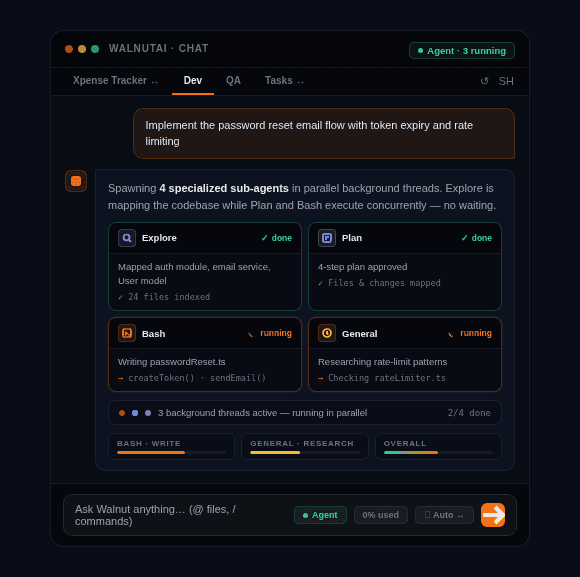
Spawn specialized sub-agents for different parts of a task
Agent Mode breaks work across specialized sub-agents: Explore maps the codebase, Plan designs the strategy, Bash handles shell operations, and General-Purpose manages research and multi-step analysis. Multiple agents run in parallel background threads — no waiting for one to finish before the next starts.
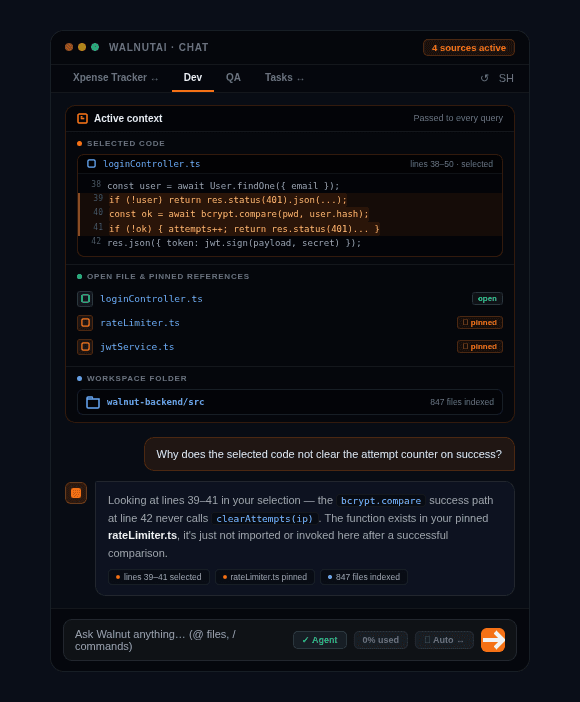
Stays in context no matter what you’re looking at
Selected code, the current open file, your workspace folder, and pinned reference files are all passed as context to every query. WalnutAI always knows exactly what you’re working on, so answers are precise rather than generic.
Ready to ship with confidence?
See how WalnutAI connects requirements, code, testing, and deployment into one intelligent workflow.