Mobile & Multi-Framework QA: A Practical Guide
Why mobile testing is not web testing
Your web test suite does not test mobile. A click in web is not a tap on mobile. A swipe has no web equivalent.
Mobile devices have permissions. They have orientation. They have offline modes. They have battery states. Web does not.
Most test generation tools are built for web. They generate click-based tests. They do not generate touch, swipe, or orientation tests.
That is why your mobile app has more defects than your web app. Not because mobile is harder to build. But because mobile is harder to test.
The mobile testing gap
Your mobile app has these scenarios. Your test suite does not cover them:
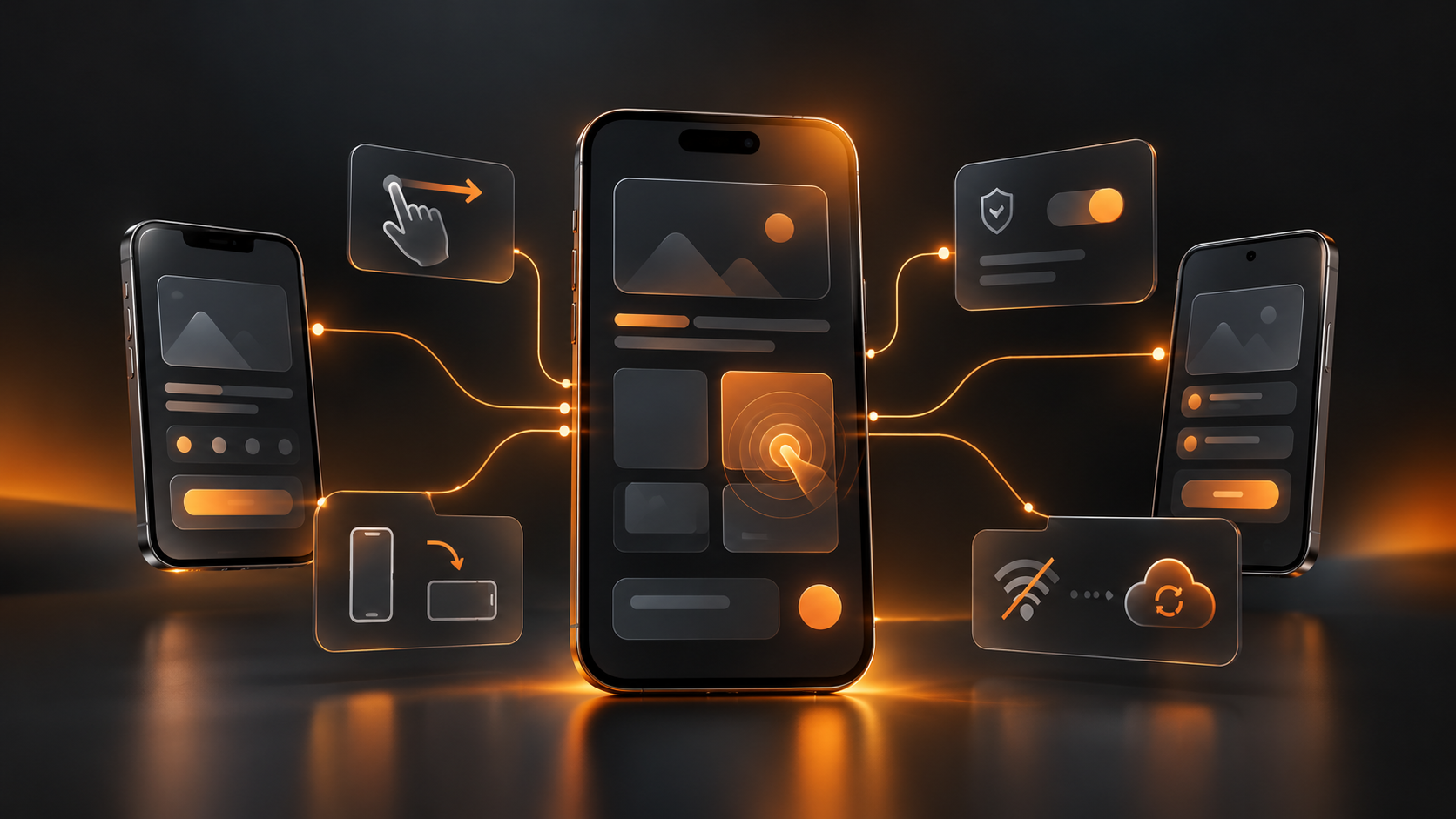
Mobile-specific scenarios: Touch interactions: tap, swipe, long-press, pinch, scroll
Orientation: portrait to landscape, then back
Permissions: microphone, camera, location, contacts, calendar
Offline: app works without network, syncs when back online
Background: app backgrounded, foregrounded, killed
Battery: low battery mode, battery drain scenarios
Notifications: app receives notification while backgrounded
Multi-touch: two-finger scroll, pinch-zoom, double-tap
Web tests cover none of these. Mobile tests should cover all of them.
How mobile test generation works
Step 1: Upload your mobile design (Figma)
You have a Figma design for your mobile app. Screens. Interactions. User flows.
WalnutAI imports your Figma design. WalnutAI understands the screens, buttons, input fields, and navigation.
Step 2: Generate base test cases
WalnutAI generates test cases from your design:
Tap test case for each button
Scroll test case for each list
Text input test case for each input field
Navigation test case for each screen transition
Step 3: Generate mobile-specific test cases WalnutAI then generates mobile-specific scenarios: Android-specific: - Back button handling (hardware back, system back)
Android permissions (runtime permissions)
Android orientation (portrait lock, landscape)
Android lifecycle (onCreate, onPause, onResume, onDestroy)
iOS-specific: - Safe area handling (notch, Dynamic Island)
iOS permissions (app permissions vs system permissions)
iOS orientation (supported orientations per screen)
iOS lifecycle (viewDidLoad, viewWillAppear, viewDidDisappear)
Step 4: Add scenario-specific test cases
WalnutAI generates tests for critical mobile scenarios:
Offline mode: user performs action without network, syncs when back online
Permissions denied: user denies permission, app handles gracefully
Orientation change: user rotates device mid-action, state is preserved
Background/foreground: app is backgrounded and foregrounded, state is restored
Slow network: 3G speed, test app handles delays gracefully
Multi-framework support
Your mobile app might be native iOS, native Android, React Native, Flutter, or Xamarin.
WalnutAI generates framework-specific test code:
Native iOS: XCTest syntax, UIKit and SwiftUI support, simulator and device handling
Native Android: Espresso syntax, Jetpack Compose and XML layout support, emulator and device handling
Cross-platform: React Native: Detox or Appium
Flutter: Flutter integration_test
Xamarin: Xamarin.UITest
One design. Multiple frameworks. Auto-generated test suites for each.
Time savings
Typical mobile test generation project: Figma design: 12 screens, 40 interactions
Manual test case writing: 2-3 weeks per framework
Test automation: 4-6 weeks per framework
Total: 6-9 weeks for iOS + Android
With WalnutAI mobile test generation:
Design import: 5 minutes
Base test generation: 10 minutes
Mobile-specific scenarios: 15 minutes
Framework-specific code: 10 minutes
Total: 40 minutes for iOS + Android
Time saved: 6-9 weeks → 40 minutes
Maintenance and updates
Your design changes. Your test suite needs to change too.
With manual tests, that means 2-3 weeks of rework per platform.
With auto-generated tests, you re-run the generator, and tests update in minutes.
Coverage metrics
WalnutAI tracks mobile test coverage:
Screen coverage: which screens have test cases
Interaction coverage: which interactions are tested
Scenario coverage: which mobile scenarios are tested
Framework coverage: which platforms are tested
Permissions coverage: which permissions are exercised
Orientation coverage: portrait and landscape tested
You get a clear picture of your mobile test quality.
CI/CD integration
Generated tests integrate with your mobile CI/CD pipeline:
iOS: runs on Xcode Cloud, TestFlight, or device farm (BrowserStack, Sauce Labs)
Android: runs on Firebase Test Lab, AWS Device Farm, or local emulator
Cross-platform: runs on cloud device farms with multiple OS/device combinations
Tests run automatically on every commit. Defects caught before release.
Real-world example
Example: Fintech mobile app Figma design: 20 screens (onboarding, dashboard, transactions, settings)
Manual test cases: 4-6 weeks to write
With WalnutAI:
Base tests generated (200 test cases in 10 minutes)
Offline scenario tests generated (payments work offline, sync on reconnect)
Permission tests generated (camera for ID verification, location for fraud detection)
iOS-specific tests generated (safe area, Dynamic Island, Face ID)
Android-specific tests generated (runtime permissions, back button, landscape)
Auto-generated in 40 minutes, 2-week development cycle time saved per release Next steps
if you are building mobile apps:
Export your Figma design
Import into WalnutAI
Generate base test cases
Select mobile scenarios (offline, permissions, orientation)
Choose target frameworks (iOS, Android, React Native)
Run generated tests in CI/CD
Maintain tests by re-running generator when design changes You will have comprehensive mobile test coverage in hours, not weeks.
Generate mobile test cases from your Figma design. Book your walkthrough https://www.walnutai.ai/